
START WITH YOUR BUSINESS NEED

Projects and time: tasks followed, hours approved

Who is working on what, what is slipping, how much time was spent? In Neoo, projects, their tasks and the team’s time are followed in one place. Everyone closes their day, the manager approves the timesheets, and billable time comes with its amount.

Neoo Start and Neoo Business: 30-day free trial. Not ready yet? Watch the videos or book a demo.

Neoo Business: from €158 per month excl. VAT, hosting included, Neoo Scheduling included. 30-day free trial.

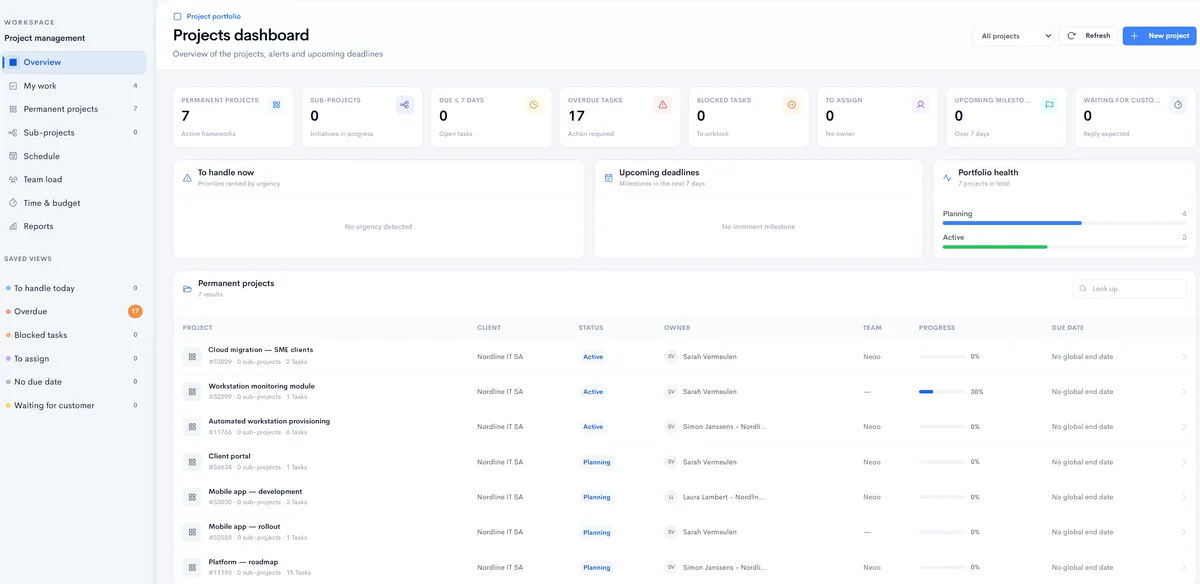
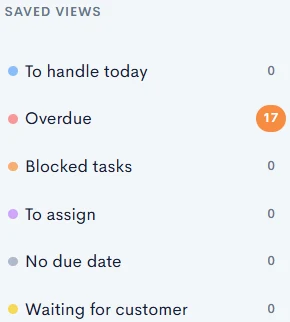
Project dashboard in Neoo: saved views, indicators (projects, overdue tasks, to assign, upcoming milestones), portfolio health and the project list with client, status, owner, team and progress.
Real Neoo screen · customer data anonymised

IN NEOO

From project to approved hours, screen by screen.

Four real Neoo screens, from the project record to timesheet approval. Names, amounts and contact details are fictitious; the rest is the application as it works.

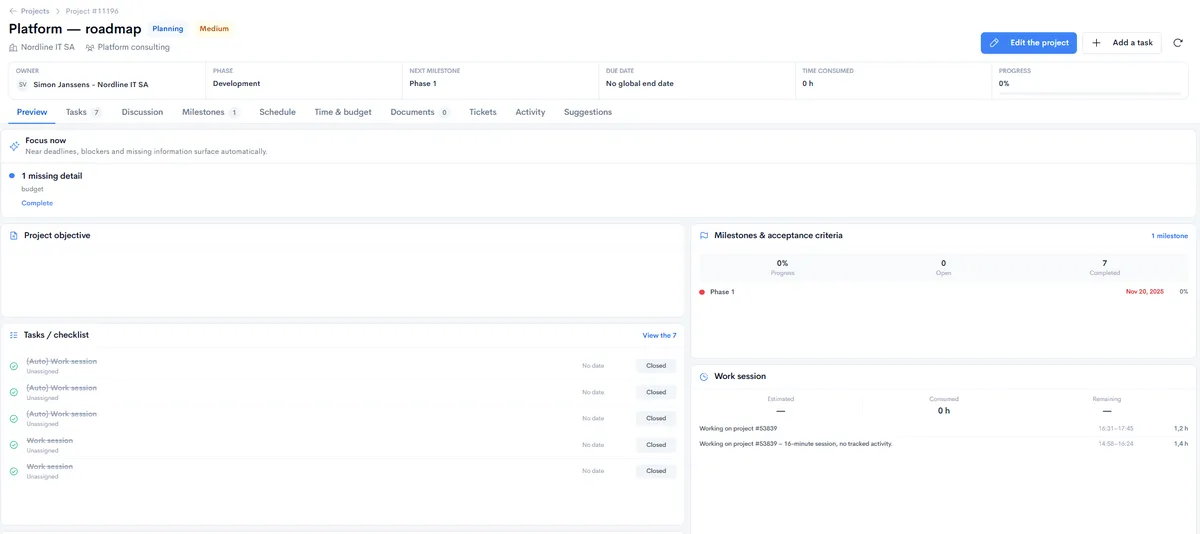
Project record in Neoo: owner, phase, next milestone, due date, time consumed and progress, then Focus now, tasks, milestones and work sessions.
Real Neoo screen · customer data anonymised

THE PROJECT

The whole project on one page.

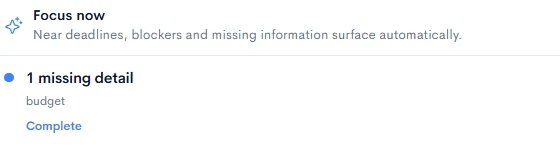
At the top: owner, phase, next milestone, due date, time consumed and progress. Just below, the Focus now block surfaces near deadlines, blockers and missing information. Tasks, milestones and work sessions read on the same page.

  • Missing information flagged on its own
  • Milestones with their acceptance criteria
  • Work sessions listed on the project
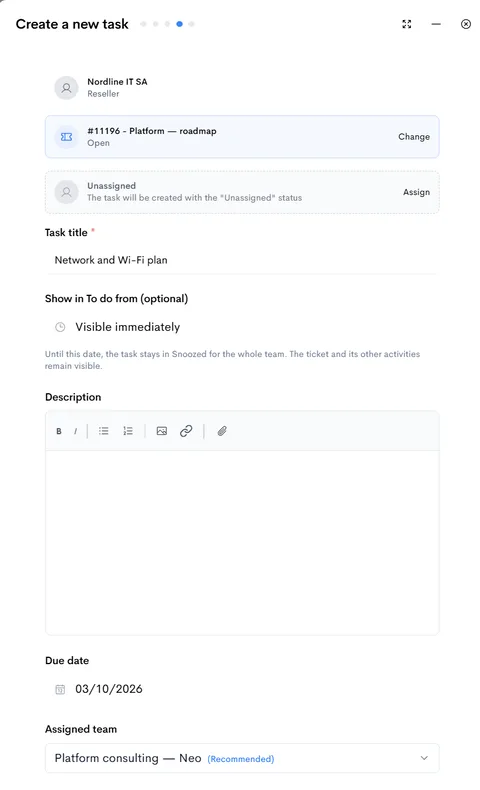
Task creation in Neoo: customer and project filled in, assignment, title, display date, description, due date and recommended team.
Real Neoo screen · customer data anonymised

TASKS

A clear task from the moment it is created.

The customer and project are filled in for you. You assign the task to a person or a team, or leave it unassigned, and set its due date. It can also stay hidden until a date you choose.

  • A recommended team for each task
  • A due date, a description and a task type
  • Tasks numbered in project order, with their dependencies
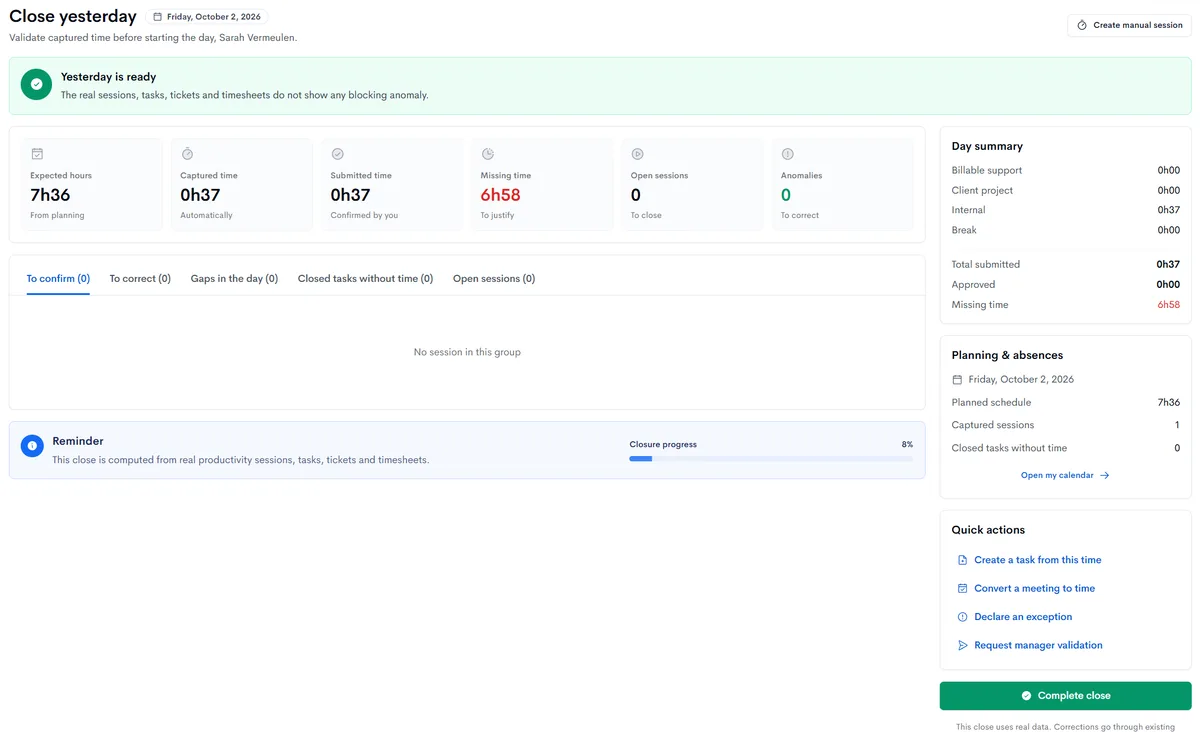
Yesterday’s close in Neoo: planned hours, captured time, confirmed time, missing time, open sessions and anomalies, day summary and quick actions.
Real Neoo screen · customer data anonymised

THE DAY

Every morning, yesterday gets closed.

Neoo compares the planned hours with the time captured automatically and the time you confirmed. Missing time is to be justified and anomalies corrected, then you complete the close or ask your manager to validate it.

  • Planned hours, taken from the schedule
  • Time captured automatically, then confirmed
  • Missing time, open sessions and anomalies
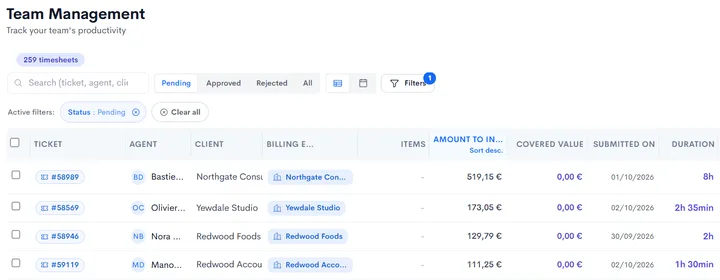
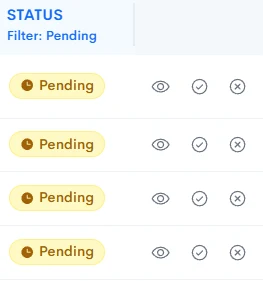
Timesheet approval in Neoo: pending, approved and rejected tabs, then tickets, agents, customers, amounts to invoice, covered value, dates and durations.
Real Neoo screen · customer data anonymised

APPROVAL

The manager approves, the amount follows.

On the manager’s side, timesheets are sorted as pending, approved or rejected. Each one shows the ticket, agent, customer, duration and amount to invoice, or the value covered by a contract.

  • Approve or reject each timesheet
  • The amount to invoice on each line
  • Filters by status, agent or customer

From project to invoice

Example workflow, to adapt to your team.

  1. Project

    The project has its customer, owner, team and phase.

  2. Tasks and milestones

    Tasks follow in order; milestones set the stages and their acceptance criteria.

  3. Sessions

    Time spent is captured in sessions, linked to their ticket and task.

  4. Close and approval

    Everyone confirms their day; the manager approves the timesheets.

  5. Invoicing

    Billable time appears in pending billing, with its customer and amount.

Choose your plan

Plans that answer this need

Neoo Business

€59 per user per month, plus your company’s hosting: from €158 per month. Neoo Scheduling included, Peppol built in. Options and onboarding are extra. 30-day free trial.

Explore the plan

Prices exclude VAT.

Not sure which plan fits? Show us your process in a demo and we will point you to the right one.

Options and connections

Neoo Scheduling is included in Business. Do you have a rule specific to your trade, such as a particular approval flow? Neoo Forge, the workshop that assembles your applications with AI, adds it to your Neoo.

Neoo Commander and Desktop & Apps are options for Business and MSP. Accounting Apps requires Business and Desktop & Apps. Forge is free up to 10 credits a month, renewed every month, with no subscription: what you build is priced by its hosting.

Already using other tools? Tell us which information must move, in which direction and how often: we look with you at the connection that fits.

Before you choose

Must I migrate every project?

No. Start with one representative project, then bring in the others at your own pace. We prepare the migration with you.

Is time entered by hand?

Not only. Neoo captures time as work sessions; you can also start a session or add one manually. Every morning, closing the previous day has you confirm that time and justify what is missing.

Can time spent be invoiced?

Yes. Each timesheet shows its amount to invoice, and billable time appears in pending billing with its customer. A session can also be covered by the customer’s contract.

When should I consider Forge?

When a rule of your trade falls outside the standard process: a particular approval flow, an in-house profitability calculation. You describe it in your own words and Forge assembles it with AI.

Launch your first workflow today.

Try it now

Neoo Start and Neoo Business: 30-day free trial. Not ready yet? Watch the videos or book a demo.